Video
Face to face, with the blur-until-cleared check, a picture-in-picture self view, flip camera and a chat drawer.
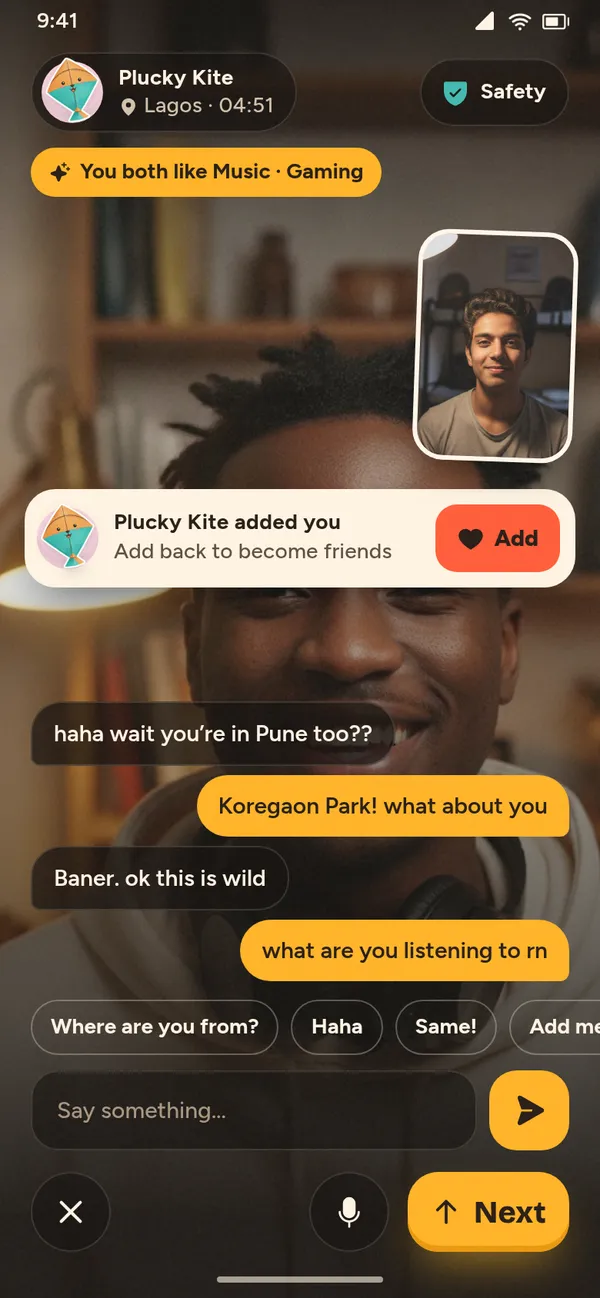


One tap and you're face to face with a stranger somewhere in the world. Their video stays blurred until a check on your own phone sees a face and a clean frame. No bots, no ads, no tracking, no account.
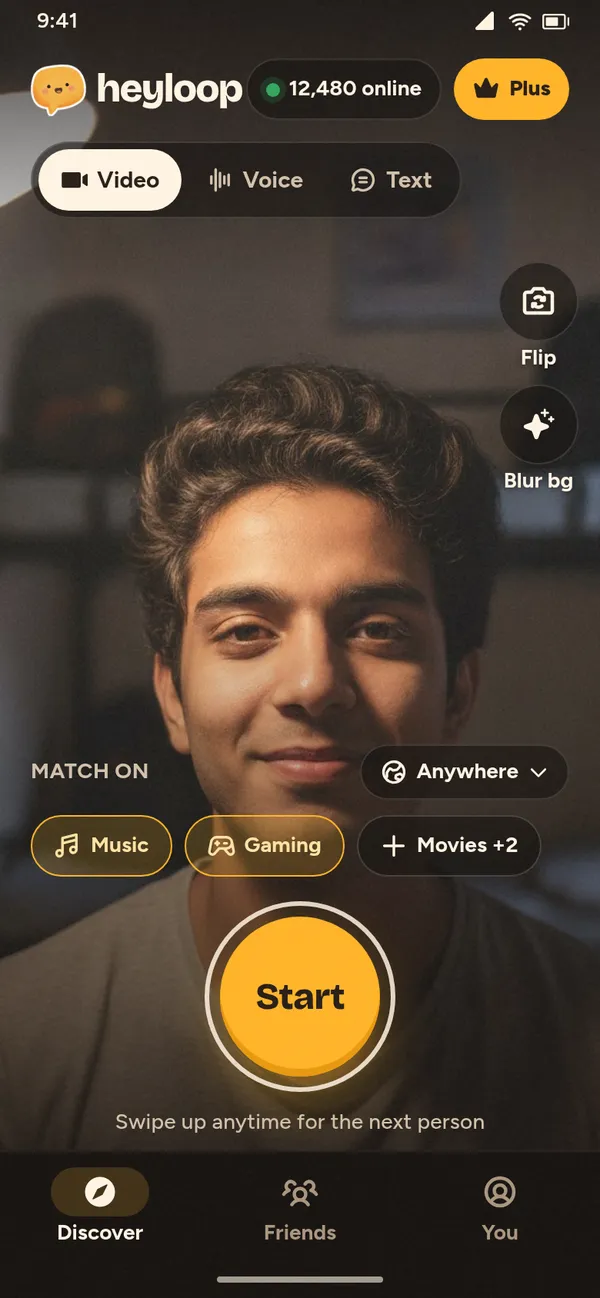




On most random chat apps, you find out what's on the other camera when it's too late. On Heyloop every new face arrives blurred. A small safety model on your phone checks the frames, and the blur lifts only when it sees a face and a clean frame. If something changes, it blurs again, instantly.
Your own camera is checked too: if it sees nudity, your video is paused before it's sent. The model only blurs and pauses. It never bans anyone; people review reports.

 Breezy FoxSafety
No sign-up, no profile to fill in. Pick a mode, tap Start, and swipe up whenever you want someone new.
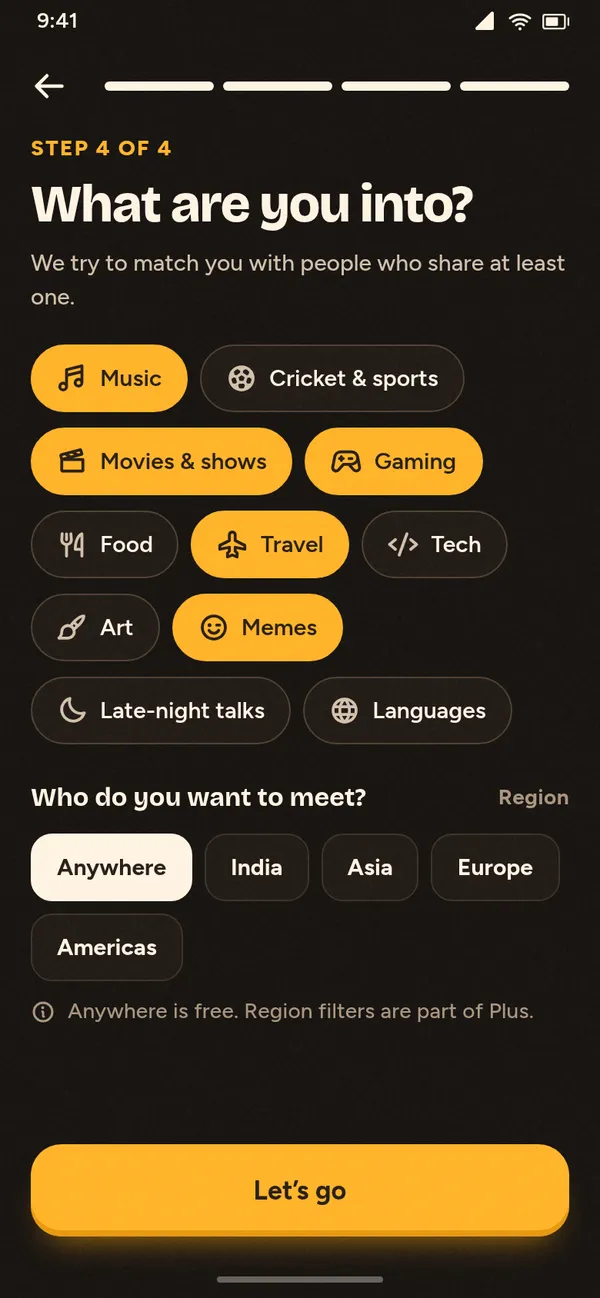
Choose up to five interests and whether you prefer your region or anywhere. That's your whole profile, plus a sticker avatar and a fun nickname.
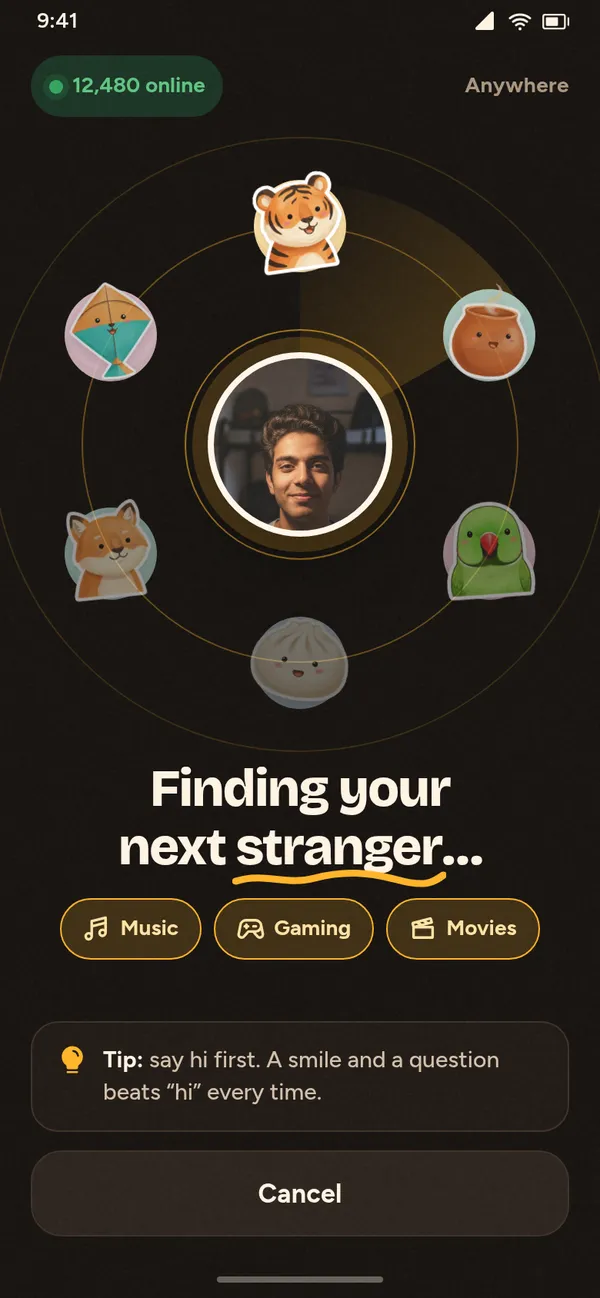
Heyloop looks for someone who shares an interest first, then widens to everyone if it takes too long. It tells you when it's widening.
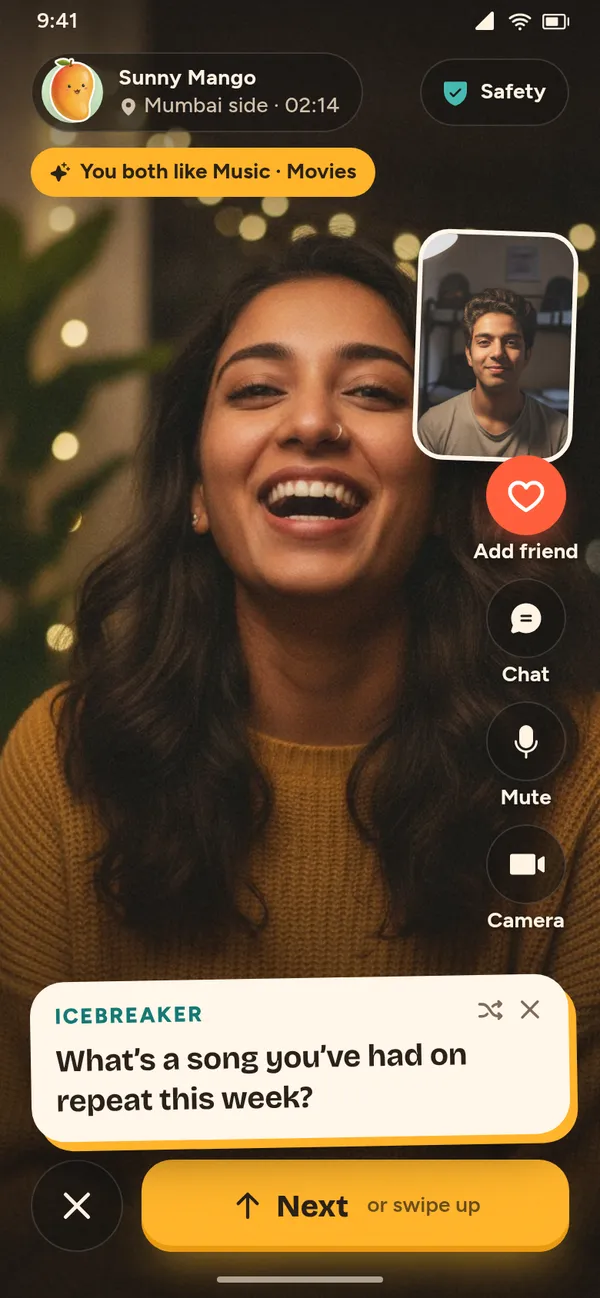
Every call opens with a shared icebreaker card. Not feeling it? Swipe up for the next person. No penalty, no hard feelings.
Switch any time from the home screen. Report and Block are one tap in every mode.
Face to face, with the blur-until-cleared check, a picture-in-picture self view, flip camera and a chat drawer.
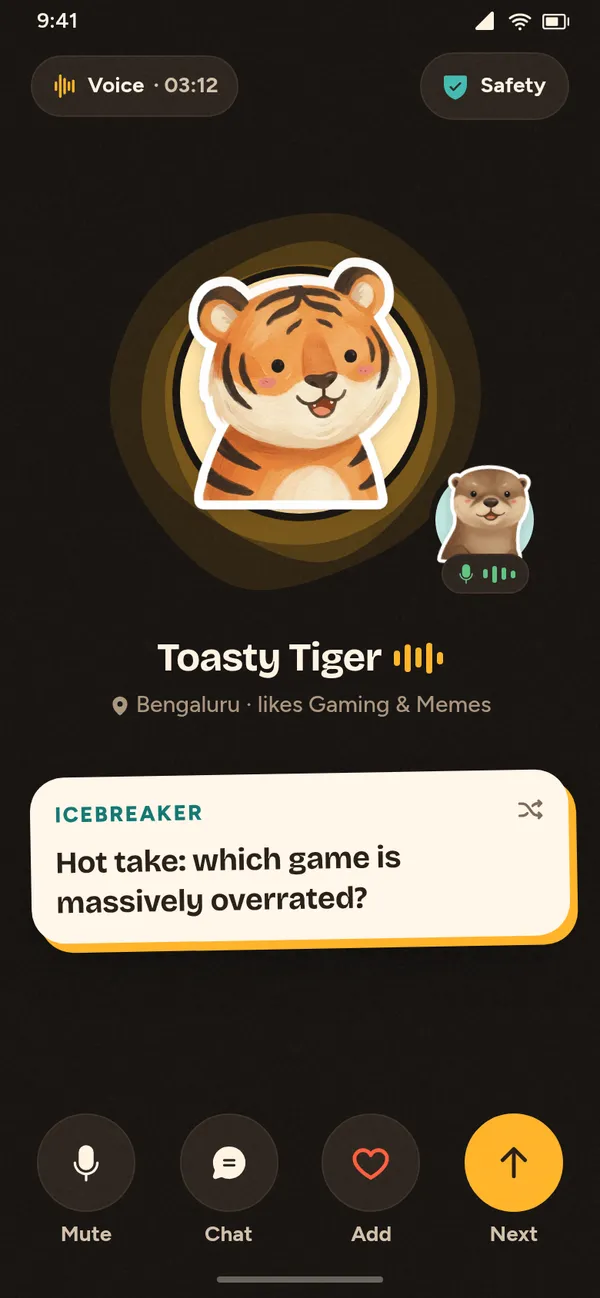
No camera at all. You show up as your sticker avatar, and a live waveform shows who's talking.
One-to-one random chat that opens with an icebreaker. No images, and links, phone numbers and social handles are held back between strangers.
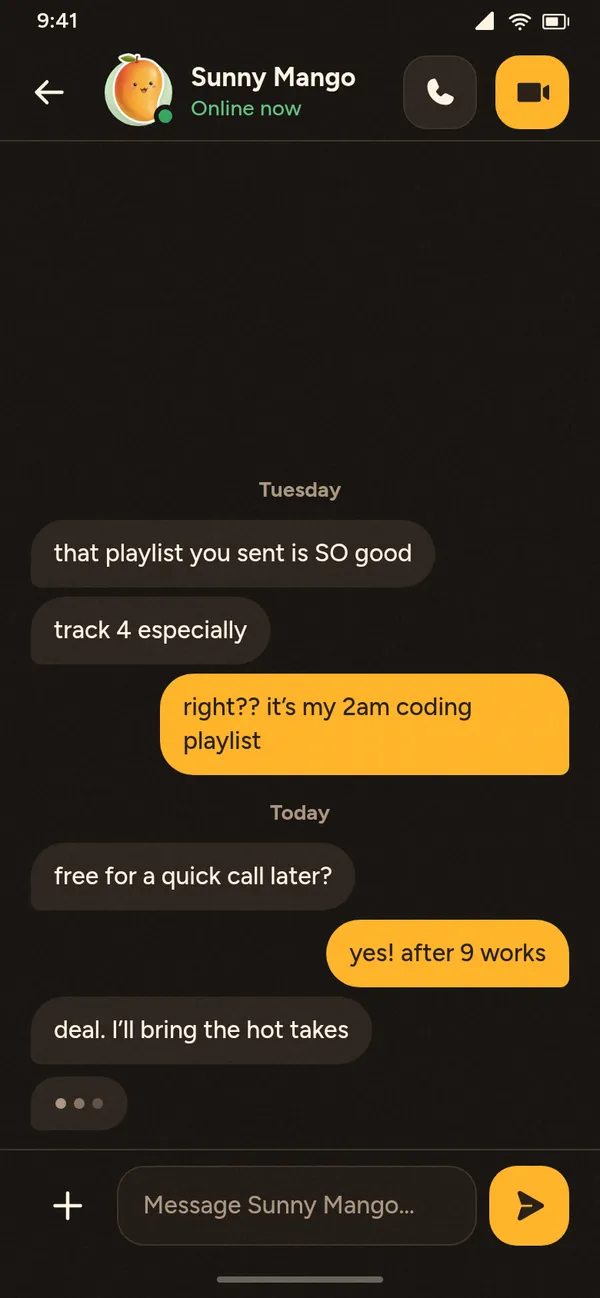
Pick up to five vibes. Heyloop looks for someone who shares one first, then widens to everyone if the wait gets long, and shows you what you have in common. There is no gender field, so there is no gender filter. Not even on Plus.
What's a song you've had on repeat this week?
Hot take: which game is massively overrated?
What's the best thing you ate this week?


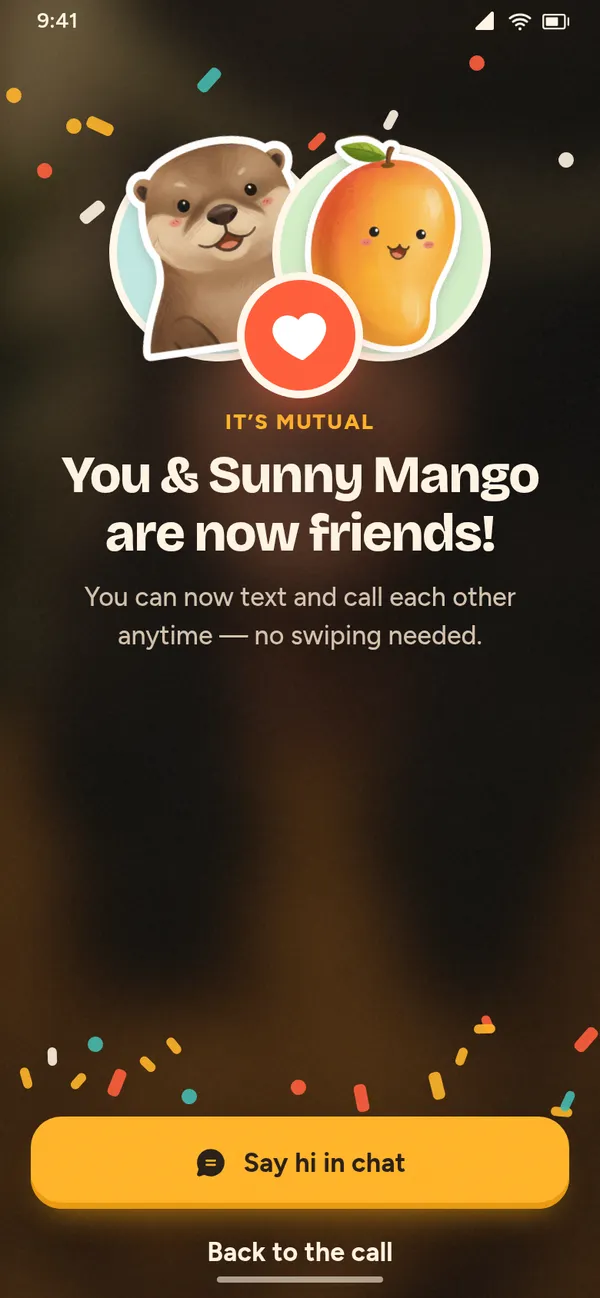
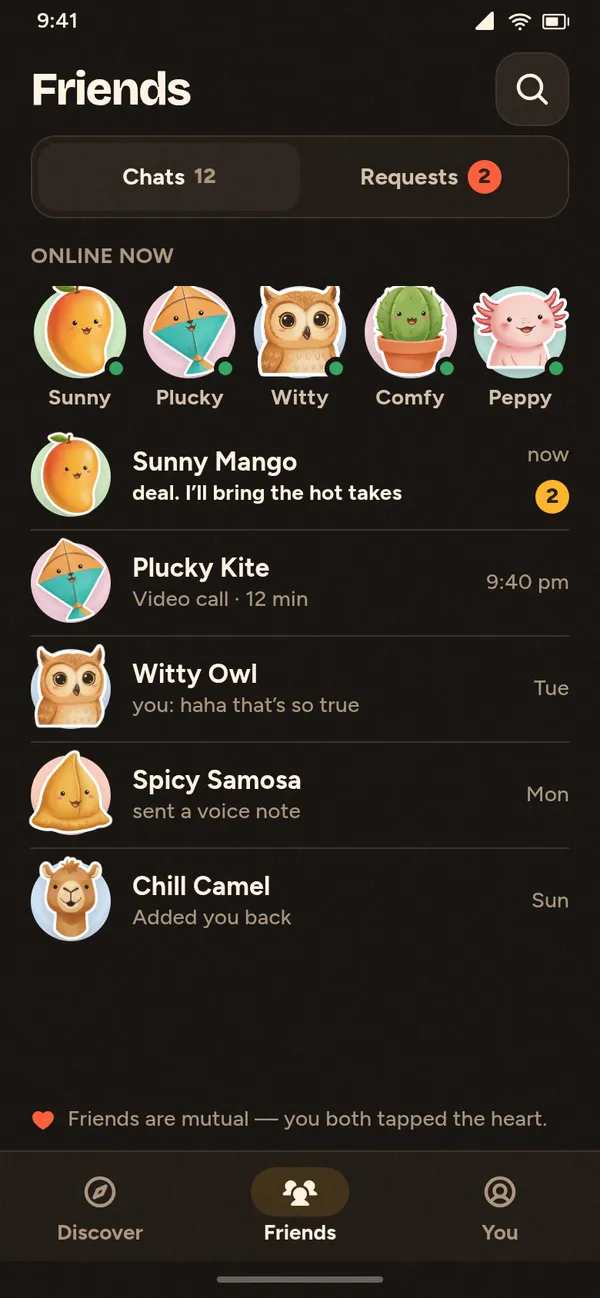
If you both tap the heart during a call, you become friends and can call or message each other later. If only one of you taps, nothing happens. Nobody can add you on their own, and you can remove or block a friend any time.
No email, phone number or Google sign-in. A random key made on your phone is your only identity, and our server sees just a pseudonym derived from it.
No ad networks, no analytics, no attribution SDKs, no advertising ID. Heyloop is paid for by an optional subscription, not by you.
Every match is a real person running the app. No paid hosts, no fake profiles, no "girl winking" loops.
Video and voice go phone to phone, encrypted. We never store audio, video, frames or stranger text chats.

Heyloop is free to use, without limits on matches or skips. Plus is an optional subscription through Google Play for people who want more control and want to support the app. Cancel any time in Google Play.
Yes. Matching, skipping, video, voice and text, friends and every safety feature are free. Heyloop Plus is an optional subscription for extras such as choosing which regions you prefer. It never sells a gender filter, safety features or a way to see blurred video.
Adults only. You must be 18 or older. The app asks for your date of birth once, keeps only a yes/no "18+ confirmed" flag on your phone and throws the date away. If someone looks under 18, report them: one report pauses their matching until a person reviews it.
When you match, the other person's video starts blurred. A small safety model on your own phone checks the frames. The blur lifts only once it sees a face and a clean frame, and it comes back if something changes. The frames never leave your phone, and the model only blurs. It never bans anyone.
No. There is no sign-up, no email, no phone number and no Google sign-in. The app makes a random key on your phone, and our server only sees a pseudonym derived from it.
No. Every match is a real person running the app. Heyloop has no paid "hosts", no fake profiles and no pre-recorded videos. If you think you have met one, report it as "Fake, bot or pre-recorded".
No. Video and voice go directly between the two phones, encrypted. When a direct path isn't possible, the encrypted media goes through a relay server we run, which can't see or hear it. We never store audio, video, frames or stranger text chats.
No, and not with Plus either. Heyloop has no gender field anywhere. You can pick interests and prefer your region, and the matcher looks for shared interests first.
Tap the shield during a call, then Report or Block. Both are one tap and always free. Reporting ends the call and blocks the person, so you will never be matched again. You can also report a recent match afterwards from the Safety centre.
Not yet. Heyloop is on Android first. This page will say so when an iPhone version is ready.
You must be 18 or older to use Heyloop. We prohibit any sexual content involving minors and any attempt to contact or exploit a child, and we report it to the authorities. If someone looks under 18, report them in the app: matching is paused for them until a person reviews it.
Free on Android. No bots, no ads, no tracking, no account.